Active Directory Find Service Accounts
Description
Section titled “Description”The find service account tool scans domain joined computers and reports the accounts running scheduled tasks and windows services. By improving visibility and reducing risk, the Active Directory Service Account Discovery Tool helps organizations better secure and govern the critical accounts that support their applications and infrastructure.
Requirements
Section titled “Requirements”- WMI needs to be open: This is blocked by default if you have the windows firewall enabled.
- Administrator rights on the target computers
How to
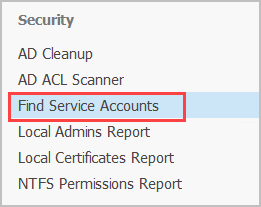
Section titled “How to”Step 1. Click on “Find Service Accounts”.
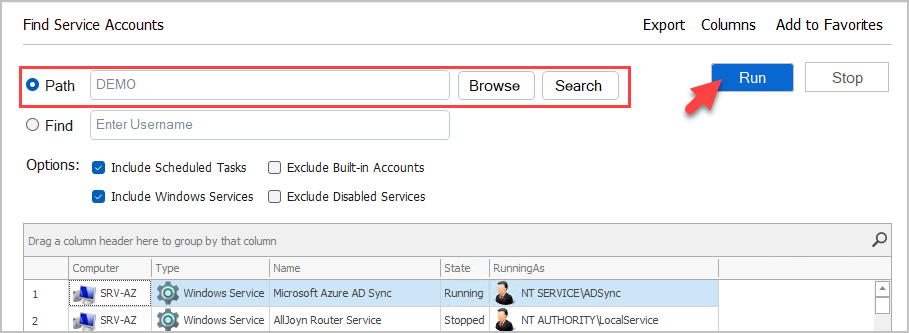
Step 2. Click “Browse” to select a Path or leave blank to scan the entire Active Directory enviornment. Click “Run” to start scanning.
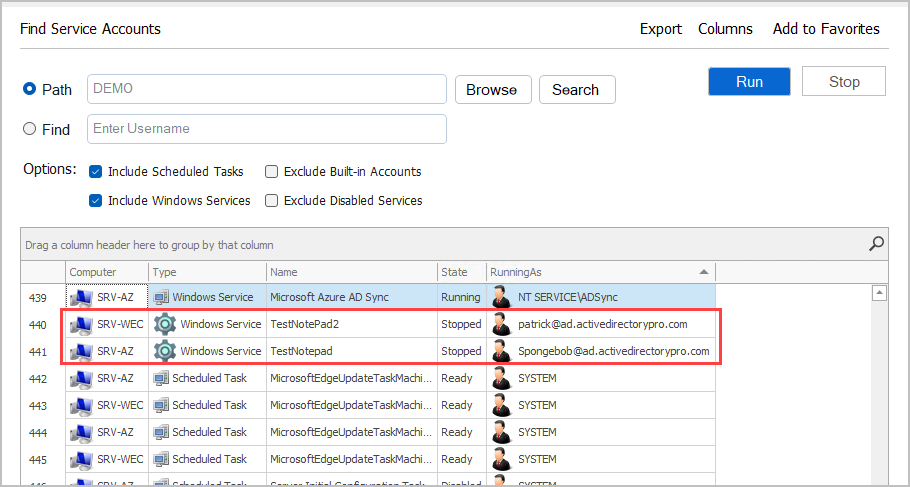
Step 3. Review and Filter Results
You can filter on any column. You can also select a column and filter out any results.
In the example below, you can see I found two domain user accounts running a Windows Service on two different servers.
Step 4. Export Report
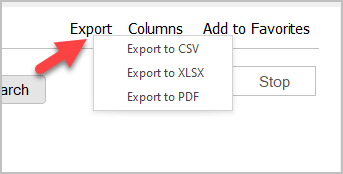
Click the Export button to export the report.