Active Directory AD ACL Scanner
Description
Section titled “Description”The Active Directory ACL Scanner Tool is a specialized security and auditing utility designed to analyze Access Control Lists (ACLs) across Active Directory objects. It scans permissions on users, groups, OUs, computers, and other directory objects to identify misconfigurations, excessive privileges, inherited permissions, and potential security risks. Ideal for security teams, auditors, and AD administrators that need to audit ACL object permissions.
Features
Section titled “Features”- List and export DACLs/SACLs on Active Directory objects
- Filter permissions
- Find users with password delegation
- Find if specific users or groups have been delegated permissions
- Get all inherited permissions in report
How to
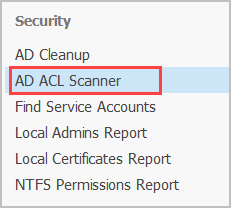
Section titled “How to”Step 1. Click on “AD ACL Scanner”.
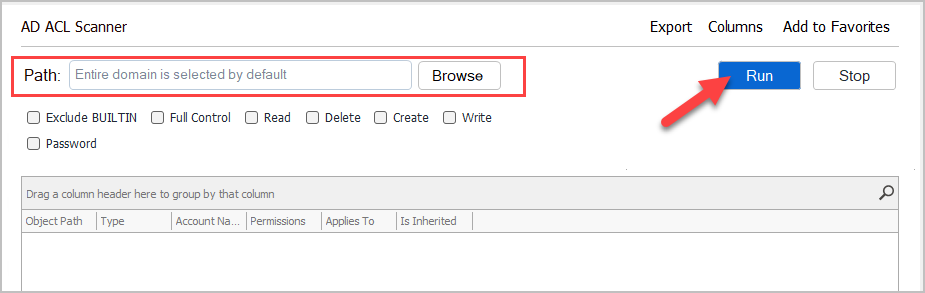
Step 2. Click “Browse” to select a Path or leave blank to scan the entire Active Directory enviornment.
Note: If you have a large AD enviornment it can take several minutes for the scan to complete.
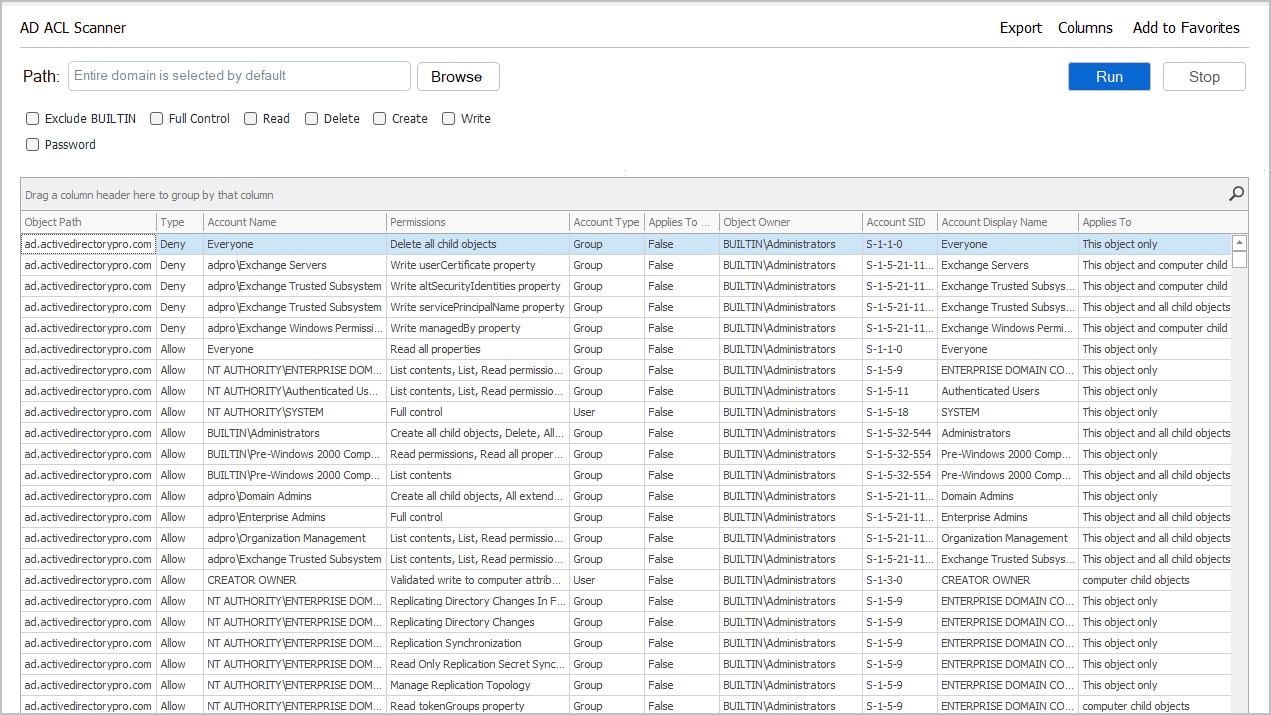
Step 3. Review and Filter the Results
The report includes the following columns:
- Object Path
- Type
- Account Name
- Permissions
- Account Type
- Applies To
- Object Owner
- Account SID
- Account Display Name
- Applies to
- Is Inherited
Filtering
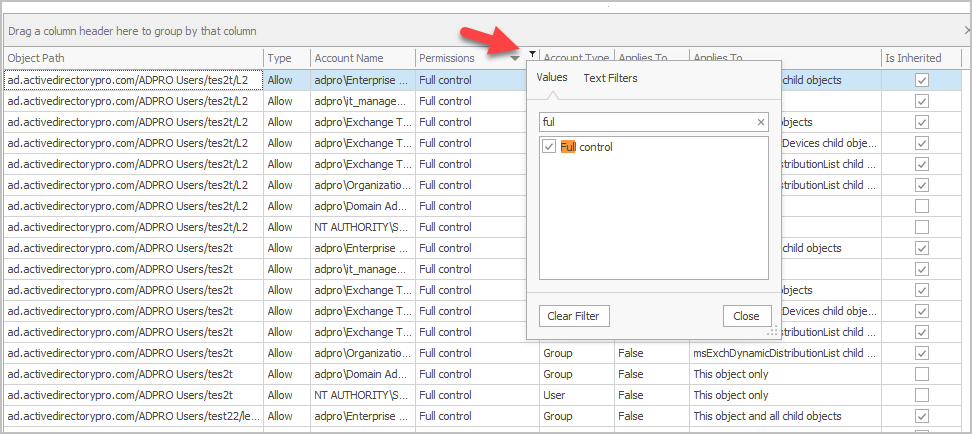
Section titled “Filtering”You can filter on any column or use the search button to find specific permissions.
For example, I’ll search for the “Everyone” group and see what permissions it has.
Someone has delegated the “everyone” group the reset password permissons on a bunch of OUs. This is not good.
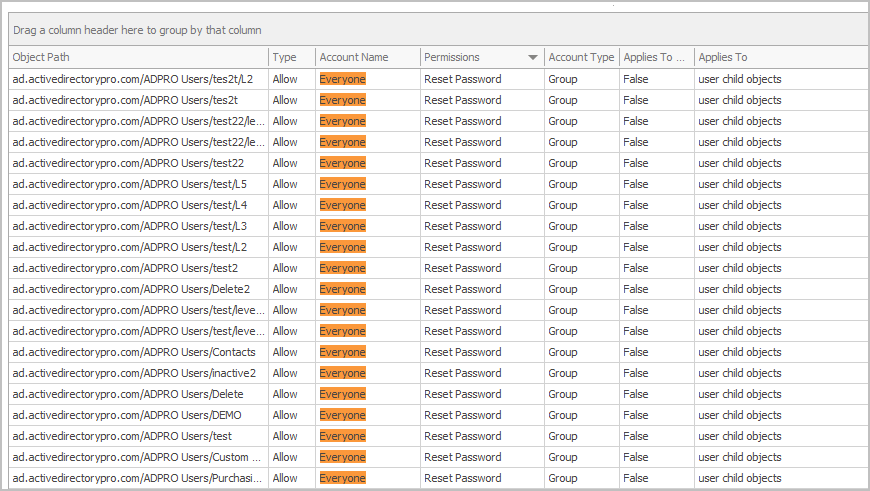
You can click on any column and filter the report.