Create Bulk Active Directory Groups
Description
Section titled “Description”This tool streamlinesbulk provisioning of AD Group by reading group information—such as group names, descriptions, scopes, and organizational unit (OU) paths—directly from a csv file. This tool is ideal for IT administrators who need a fast, reliable, and repeatable method for migrating, onboarding, or restructuring groups across an Active Directory environment.
How to Bulk Import Groups
Section titled “How to Bulk Import Groups”Step 1. Click on “Create Bulk Groupos (Import)”

Step 2. Click “Download CSV Template”

Step 3. Modify the CSV template with details about the groups you want to create
-
name
- This is the name of the group
-
distinguishedName
- The distinguishedName of the OU you want the group created in
-
groupType
- Enter security or distribution for the group type
-
groupScope
- Enter Domain local, Global or Universal for the group scope
-
description
- You can enter a description for the group
-
mail
- Set the mail property
-
proxyAddresses
- set proxyAddresses for the group
CSV Example
Section titled “CSV Example”
When you template is filled out save it and move to step 4.
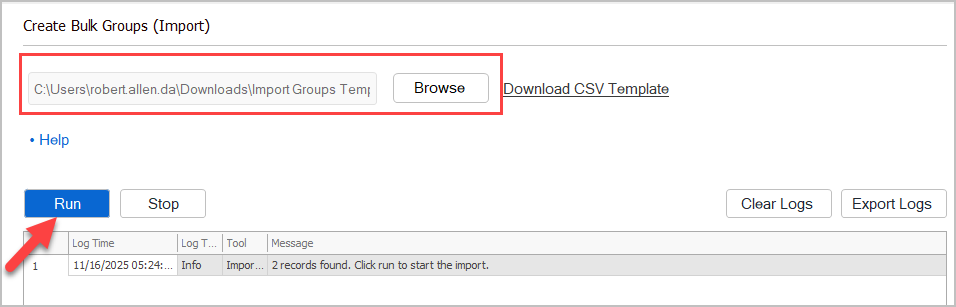
Step 4. Select CSV and click “Run”