
Active Directory User Password Reports
Description
Section titled “Description”The AD Pro Toolkit provides detailed visibility into user password status and compliance across the domain. These reporst retrieves key password-related attributes for each Active Directory user. This tool is designed to help administrators audit password hygiene, ensure compliance with security policies, detect risk indicators, and streamline identity governance across Active Directory.
How to Run Password Reports
Section titled “How to Run Password Reports”- Click Reports > Password Reports
- Select a report and click the “Run” button.
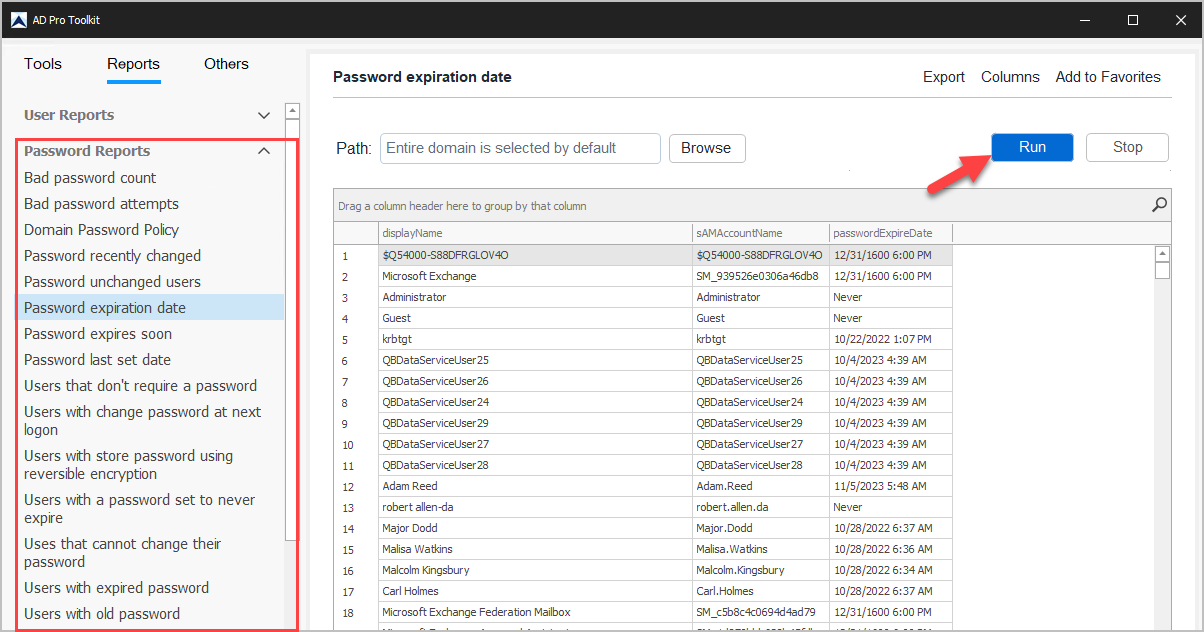
List of Password Reports
Section titled “List of Password Reports”| Report Name | Description |
|---|---|
| Bad password count | List the badPwdCount since last successful logon |
| Bad password attempts | List the badPasswordTime value for all or select users |
| Domain Password Policy | List the domain password policy |
| Password recently changed | List users that have recently changed their password |
| Password unchanged users | List of users who have never changed their password |
| Password expiration date | List users and their password expiration date |
| Password expires soon | List of users whose password expires in the next x days |
| Password last set date | List of users and their password last set date |
| Users that don’t require a password | Users that don’t require a password enabled |
| Users with change password at next logon | List users with change password at next logon enabled |
| Users with store password using reversible encryption | Store password using reversible encryption enabled |
| Users with a password set to never expire | List users whose password never expires |
| Users that cannot change their password | List users who cannot change their password |
| Users with expired password | List of users whose password has expired |
| Users with old password | Shows the days since password last set for all or select users |