
OU Reports
Description
Section titled “Description”The built-in OU reports provides clear, real-time insight into all OUs in your Active Directory environment. It highlights OU structure, object counts, protection status, delegated management, and recent changes. The tool makes it easy to identify empty or unmanaged OUs, track newly created or modified containers, and view GPO links—helping administrators maintain a clean, organized, and secure directory.
How to run OU Reports
Section titled “How to run OU Reports”- Click Reports > OU Reports
- Select a report and click the “Run” button.
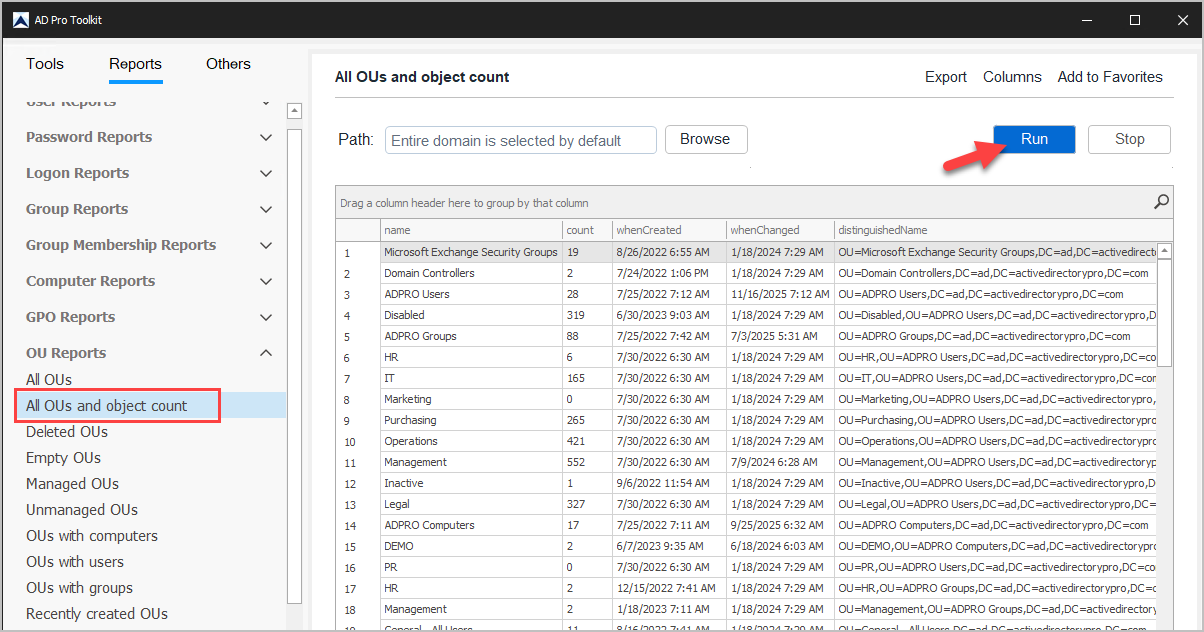
List of OU Reports
Section titled “List of OU Reports”| Report Name | Description |
|---|---|
| All OUs | List all OUs in the domain |
| All OUs and object count | List all OUs and object count |
| Deleted OUs | List of recently deleted OUs |
| Empty OUs | List OUs that are empty (no objects) |
| Managed OUs | OUs managed by another user |
| Unmanaged OUs | List of OUs not managed |
| OUs with computers | List OUs that only contain computer objects |
| OUs with users | List OUs that only contain user objects |
| OUs with groups | List OUs that only contain group objects |
| Recently created OUs | List OUs that were created in the past x days |
| Recently modified OUs | List OUs that were modified in the past x days |
| OUs with linked GPOs | List of OUs that have GPOs linked |
| OUs not protected | OUs not protected from accidental deletion |
| OUs protected | OUs protected from accidental deletion |