
Active Directory Logon Reports
Description
Section titled “Description”These reports helps administrators identify inactive users, detect potential security issues, track login behavior, and maintain accurate audit records by providing a unified and reliable last logon report across the entire domain.
How to run Logon Reports
Section titled “How to run Logon Reports”- Click Reports > Logon Reports
- Select a report and click the “Run” button.
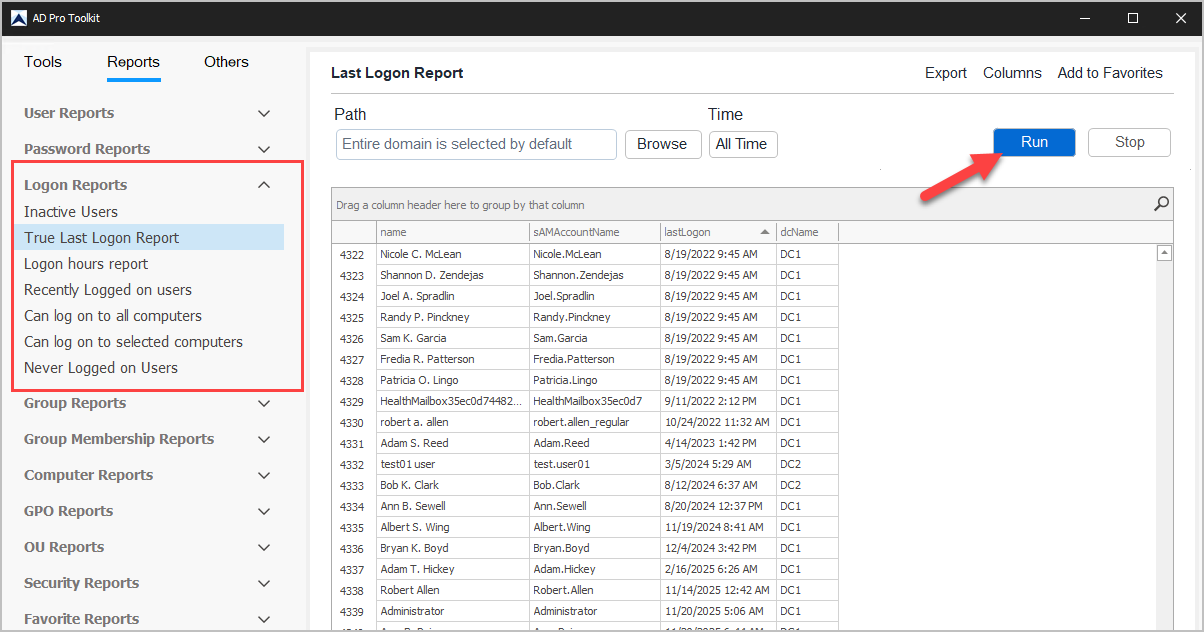
List of Logon Reports
Section titled “List of Logon Reports”| Report Name | Description |
|---|---|
| Inactive Users | List users who have not logged on in at least ‘x’ days |
| True Last Logon Report | List the most recent lastLogon value for all users from all DCs |
| Logon hours report | Shows the Logon Hours for each user |
| Recently Logged on users | List users who have logged on in the past ‘x’ days |
| Can log on to all computers | List users allowed to log on to all computers |
| Can log on to selected computers | List users allowed to log on to select computers |
| Never Logged on Users | List of users who have never logged on |