
Active Directory Group Member Reports
Description
Section titled “Description”Group Member Reports provide detailed visibility into the users, devices, and service accounts assigned to specific Active Directory groups. These reports help administrators quickly identify who has access to critical systems and resources by listing all direct and nested group members in an organized, easy-to-read format.
With flexible filtering, sorting, and export options, Group Member Reports support security audits, access reviews, compliance checks, and routine directory maintenance. By offering accurate, real-time membership data, these reports make it simple to verify permissions, detect unwanted access, and maintain a clean, well-structured Active Directory environment.
How to run Groups Member Reports
Section titled “How to run Groups Member Reports”- Click Reports > Group Membership Reports
- Select a report and click the “Run” button
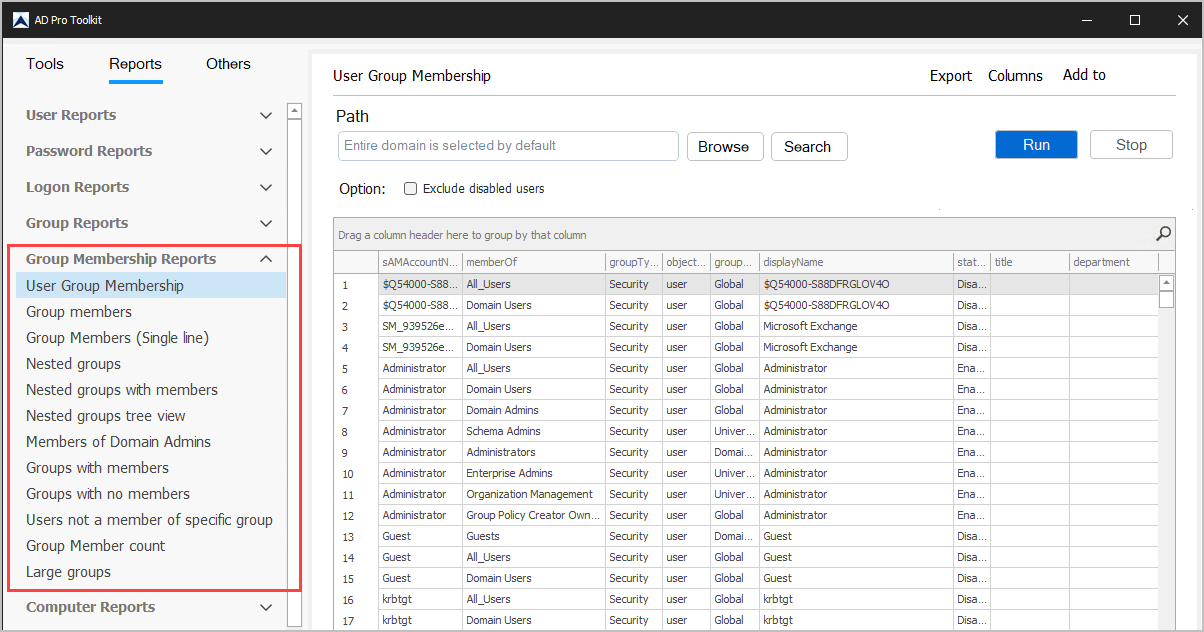
List of Group Member Reports
Section titled “List of Group Member Reports”| Group Membership | Description |
|---|---|
| User Group Membership | List the groups a user is a member of |
| Group members | List the members of all or selected groups |
| Group Members (Single line) | List users’ group membership in one row per user |
| Nested groups | List of groups that are a member of another group |
| Nested groups with members | Recursive group membership for selected groups |
| Nested groups tree view | Hierarchy view of nested groups |
| Members of Domain Admins | List the members of the Domain Admins group |
| Groups with members | List of groups that have members |
| Groups with no members | List of groups that have no members (Empty groups) |
| Users not a member of specific group | List of users that are not a member of a specific group |
| Group Member count | List of all groups and number of members in each group |
| Large groups | List of the largest groups in the domain |